WordPress Website Making Guide: Build Your Site in 2026

Author Pixelish
Published January 2, 2026

In 2026, having a modern and high-performing website is no longer optional—it is essential for businesses, personal brands, and creative projects alike. The rapid pace of digital trends means that your online presence must be fast, flexible, and future-proof.

This wordpress website making guide offers a straightforward, step-by-step process for building your own WordPress site, even if you are a complete beginner. You will learn how to plan your site, choose the right hosting, install WordPress, design with impact, add content, optimise for SEO, and keep everything running smoothly.

As the world’s most popular content management system, WordPress gives you the power to create a site that stands out and grows with your needs. Ready to build a website that sets you apart in 2026? Follow this guide and take the first step towards your digital success.

Planning Your WordPress Website

A successful wordpress website making project starts with clear, strategic planning. Laying the groundwork early helps you avoid costly mistakes and ensures your future site meets both your goals and your audience’s needs.

Planning Your WordPress Website

Defining Your Website Goals and Audience

Before you dive into wordpress website making, define what your site should achieve. Is it for business growth, a personal blog, an e-commerce venture, or a creative portfolio? Setting specific objectives will guide every decision you make.

Next, identify your target audience. Who are you hoping to reach? Understanding their needs, preferences, and online habits helps you tailor both content and design. Conduct competitor analysis by researching similar sites. This reveals gaps and opportunities for your own approach.

For example, a local café aiming to attract more customers might focus on showcasing menus, opening hours, and customer reviews. Remember, 70% of websites fail due to unclear objectives (WebsiteSetup, 2025). Careful planning is the first step to success in wordpress website making.

Mapping Out Your Site Structure

A logical site structure is crucial for seamless navigation in wordpress website making. Start by sketching a simple sitemap, outlining the main sections and pages your site will need. Essential pages typically include: Home, About, Services, Contact, Blog, and Shop.

Think ahead about scalability. Will you add more services, products, or blog categories in the future? Planning for growth now prevents headaches later. Here’s a basic sitemap for a service-based business:

PagePurpose
HomeWelcome, intro
AboutStory, credentials
ServicesWhat you offer
ContactGet in touch
BlogUpdates, insights

A clear structure makes wordpress website making much smoother for you and your visitors.

Choosing a Domain Name and Brand Identity

Your domain name is the foundation of your online brand in wordpress website making. Choose something memorable, easy to spell, and ideally, includes a keyword related to your niche. Always check for domain availability and potential trademark issues to avoid legal hassles.

Establish your brand identity by selecting consistent colours, fonts, and a logo. This builds trust and recognition. Use this quick brand kit checklist:

  • Select brand colours (3–5 max)
  • Choose 1–2 web-safe fonts
  • Design or source a logo
  • Prepare a favicon

A strong, consistent identity sets your wordpress website making project apart from the competition. For a step-by-step overview, see the WordPress website creation guide.

Budget and Timeline Considerations

Budgeting is a key part of wordpress website making. Estimate costs for your domain, hosting, premium themes, essential plugins, and any professional services. For UK small businesses, the average website cost is between £1,000 and £6,000 (Clutch, 2025).

Set realistic timelines for each project phase: planning, design, content creation, and launch. Consider whether to outsource tasks or tackle them yourself. Outsourcing can save time and ensure quality, but increases costs. DIY is budget-friendly, but may require more effort and learning.

By planning your budget and timeline, you can keep your wordpress website making process on track and avoid common pitfalls.

Setting Up Hosting and Installing WordPress

A strong foundation is essential for successful wordpress website making. Choosing the right hosting and setting up your site correctly will ensure speed, reliability, and security from day one.

Setting Up Hosting and Installing WordPress

Selecting the Right Hosting Provider

The first step in wordpress website making is choosing a hosting provider that matches your project’s needs. Hosting comes in several types: shared, VPS, and managed WordPress hosting. Each offers different levels of performance and control.

Hosting TypeProsConsBest For
SharedAffordable, easy setupLimited resources, slower speedsBeginners, small sites
VPSMore control, scalableTechnical knowledge neededGrowing businesses
Managed WPOptimised, support, securityHigher costE-commerce, agencies

Look for features like high uptime, strong security, fast loading times, and responsive support. In the UK, top providers for 2026 include SiteGround, Kinsta, and 20i.

For growing e-commerce sites, managed hosting is ideal for handling more traffic and transactions. Remember, 40 percent of users will abandon a site if it takes over three seconds to load (Google, 2025). Reliable hosting is key for wordpress website making success.

Registering Your Domain and Connecting to Hosting

Securing your domain name is a crucial milestone in wordpress website making. Register your chosen domain with a reputable registrar such as 123 Reg, Namecheap, or GoDaddy. Check for availability and avoid trademarked names.

Once registered, link your domain to your hosting account. This typically involves updating DNS records, which point your domain to your web server. Most UK hosts provide simple instructions to guide you through this process.

Step-by-step for beginners:

  1. Purchase your domain.
  2. Log in to your registrar’s dashboard.
  3. Find DNS settings and enter your hosting provider’s nameservers.
  4. Save changes and allow time for propagation.

A practical example: Registering with 123 Reg, you’d copy nameservers from your host and paste them into your 123 Reg DNS settings. This simple setup brings your wordpress website making project online efficiently.

Installing WordPress: One-Click vs Manual

With hosting and your domain ready, it’s time to install WordPress. Most providers offer one-click installers through cPanel or Plesk, making wordpress website making fast and simple. These tools handle file uploads and database setup automatically.

For those wanting more control, manual installation involves:

  • Downloading WordPress from wordpress.org
  • Uploading files via FTP to your server
  • Creating a MySQL database
  • Running the setup wizard by visiting your domain

Common issues include database connection errors or incorrect file permissions. Hosts usually provide support resources or guides if you encounter problems.

Whether you use one-click or manual methods, screenshots in your host’s knowledge base can help visualise each step. This ensures a smooth start to your wordpress website making journey.

Essential Initial Settings and Security

After installation, configuring settings is vital for SEO and safety in wordpress website making. Set your site title and tagline under Settings > General. Adjust permalinks to “Post Name” for clean, SEO-friendly URLs.

Install an SSL certificate to enable HTTPS, protecting your visitors’ data. Most hosts offer free SSL via Let’s Encrypt. Next, create a strong admin password and assign user roles carefully to prevent unauthorised access.

Enable automatic updates for WordPress, themes, and plugins to reduce vulnerabilities. Set up regular backups using plugins or your host’s tools.

For further protection, consider security plugins such as Wordfence or Sucuri. For the latest advice, see WordPress security best practices. With 90,000 WordPress sites attacked daily (Sucuri, 2025), robust security is a must for every wordpress website making project.

Customising Your WordPress Site Design

Design is the heart of your wordpress website making journey. A professional, user-friendly site attracts visitors and reflects your brand’s identity. This section guides you from choosing the perfect theme to creating a unique, accessible experience that sets your website apart.

Customising Your WordPress Site Design

Choosing and Installing a Theme

Selecting the right theme is the foundation of wordpress website making. Free themes are great for budgets, while premium options offer advanced features and support. Look for themes that are fast, responsive, and WCAG compliant.

FeatureFree ThemePremium Theme
Cost£0£30–£100
SupportCommunityDeveloper
UpdatesRegularPriority

To install, browse the WordPress Theme Directory or trusted marketplaces. Click ‘Install’ then ‘Activate’. Popular themes for 2026 include Astra, Blocksy, and Kadence. For expert guidance or a bespoke design, explore WordPress web design services.

Customising Your Theme and Layout

Once installed, use the Customiser to tailor your wordpress website making project. Adjust colours, fonts, and logos to match your brand. Edit headers, footers, and navigation menus for better usability.

The block editor empowers you to create engaging homepages with drag-and-drop simplicity. Experiment with layouts and templates to highlight your most important content. Preview changes live to ensure your site looks polished on every device.

Adding Essential Plugins for Functionality

Plugins expand the power of wordpress website making, adding crucial features with just a few clicks. Must-have plugins include tools for SEO (Yoast or Rank Math), security (Wordfence), backups (UpdraftPlus), contact forms (WPForms), and caching (W3 Total Cache).

To install, go to Plugins > Add New, search, and click ‘Install’ then ‘Activate’. Avoid plugin overload by choosing only what you need. Regularly update plugins to maintain compatibility and enhance security.

Mobile Optimisation and Accessibility

Mobile-first design is vital in 2026, as most visitors now browse on phones. During wordpress website making, test your site’s responsiveness using built-in preview tools or Google’s Mobile-Friendly Test.

Accessibility matters, too. Follow WCAG 2.2 guidelines to ensure everyone can use your site. Tools like the ‘WP Accessibility’ plugin help you meet standards, offering features like skip links and contrast checks. Prioritise clear navigation, readable fonts, and alt text for images.

Creating a Unique Brand Experience

A memorable brand experience is integral to successful wordpress website making. Design with your audience in mind, using your brand’s colours, fonts, and imagery consistently throughout the site.

Incorporate custom graphics, icons, and micro-interactions to engage visitors. Craft compelling calls-to-action and weave your brand story into every page. This approach builds trust, drives conversions, and ensures your website stands out in a crowded digital landscape.

Adding Content and Core Features

A successful wordpress website making project relies on more than just design. Adding the right content and features establishes your site’s credibility and usability. This section covers the essentials, from creating pages and posts to integrating contact forms and running a full pre-launch check.

Adding Content and Core Features

Creating Pages and Posts

Understanding the difference between pages and posts is crucial in wordpress website making. Pages are for static content like Home or About, while posts are ideal for blogs or news updates.

To add a page or post, click ‘Add New’ in the WordPress dashboard. Use blocks for headings, images, and buttons to create engaging layouts. Templates and reusable blocks help maintain consistency.

Consider watching this WordPress Tutorial For Beginners 2026 for a step-by-step demonstration. For a service business, set up core pages first, then launch a blog to share updates and build authority.

Setting Up Navigation and Menus

Menus are the backbone of user-friendly wordpress website making. Start by creating your main menu, typically including Home, About, Services, Blog, and Contact. Add categories or dropdowns for expanded content.

Use the Appearance > Menus section to add, organise, or nest items. Custom links can direct users to external resources or landing pages.

Best practices include keeping menus simple and logical, using clear labels, and ensuring all key pages are accessible from both header and footer menus. For a local business, this might look like:

Main MenuFooter Menu
HomePrivacy Policy
AboutTerms & Conditions
ServicesContact
BlogBlog
ContactSocial Links

Integrating Contact Forms and Lead Capture

Effective contact forms are a hallmark of professional wordpress website making. Plugins like WPForms or Contact Form 7 make setup easy.

Add a form to your Contact page, configure email notifications, and enable spam protection with CAPTCHA. Place lead capture forms on service or landing pages to encourage enquiries.

For best results:

  • Use clear fields (name, email, message)
  • Add GDPR consent checkboxes
  • Test submissions to ensure delivery

A service business can increase enquiries by embedding forms on multiple pages and offering incentives for visitors to get in touch.

Adding Media: Images, Video, and Galleries

Visual content enhances engagement and supports your wordpress website making goals. Upload images via the Media Library, and use plugins to compress files for fast loading.

Embed videos from YouTube or Vimeo by pasting the URL into a block. Create galleries or sliders to showcase work or products.

Tips for optimising media:

  • Use descriptive file names for SEO
  • Add alt text for accessibility
  • Compress images before upload

A portfolio site, for example, can use a gallery block to present completed projects in an interactive, visually appealing way.

Launch Checklist and Pre-Launch Testing

Before launching, thorough testing is vital in wordpress website making. Proofread all content and check for broken links. Test your site on different devices and browsers to ensure consistent appearance and functionality.

Confirm that all forms, buttons, and interactive features work correctly. Use this pre-launch checklist:

  • Review spelling and grammar
  • Check all links and menus
  • Test forms and email functionality
  • View site on mobile, tablet, desktop
  • Confirm page speed and load times

A comprehensive review ensures your site is polished, professional, and ready for visitors.

Optimising for SEO, Performance, and Security

Building a high-performing wordpress website making project requires more than just design and content. To stand out in 2026, you must focus on search engine optimisation, site speed, robust security, and legal compliance. Let’s break down each step to keep your site ahead of the curve.

On-Page SEO Essentials

Effective on-page SEO is fundamental for any wordpress website making journey. Start by crafting unique, keyword-rich titles and meta descriptions for every page. Use clear headings (H1, H2, H3) and incorporate your main keywords naturally.

Install an SEO plugin like Yoast or Rank Math to streamline optimisation. These tools help you set focus keywords, manage sitemaps, and improve readability. Internal linking is also crucial, guiding visitors and search engines through your content.

Did you know that WordPress powers 43.1% of all websites? This massive reach means optimising your wordpress website making process for search can significantly boost your visibility.

Before publishing, use this quick SEO checklist:

  • Unique title and meta description
  • Focus keyword in headings and content
  • Internal and external links
  • Optimised images with alt text

By following these steps, your site will be more discoverable and competitive.

Improving Site Speed and Performance

Site speed is a critical factor in user experience and SEO. For wordpress website making, always compress images before uploading and enable lazy loading to reduce initial load times.

Leverage caching plugins to store static copies of your pages. Integrate a Content Delivery Network (CDN) to distribute resources globally and minimise delays. Clean up unused plugins and themes to optimise your database and reduce bloat.

Here’s a quick summary:

Optimisation TechniqueBenefit
Image CompressionFaster loading
Caching PluginImproved performance
CDN IntegrationGlobal speed consistency
Database CleanupReduced server load

Remember, fast sites convert twice as well as slower ones. Regularly test your site speed and address any bottlenecks for the best results.

Securing Your WordPress Site

Security is non-negotiable in any wordpress website making process. Keep WordPress core, themes, and plugins updated to patch vulnerabilities. Use strong passwords, unique usernames, and enable two-factor authentication for all admin accounts.

Install a reputable security plugin that offers firewall protection, malware scanning, and login monitoring. Regularly back up your site and store copies in a secure location. Restrict user permissions to the minimum necessary for each role.

Best practices to remember:

  • Update everything frequently
  • Use SSL certificates for HTTPS
  • Monitor login attempts and file changes
  • Schedule automated backups

Taking these steps helps shield your site from common attacks and keeps your data safe.

Tracking Analytics and User Behaviour

Analysing your website’s data is key to refining your wordpress website making strategy. Set up Google Analytics and Google Search Console to monitor traffic, user behaviour, and search performance.

Review metrics like bounce rate, session duration, and conversion rates to identify what’s working. Tools like heatmaps and session recordings provide deeper insights into how visitors interact with your pages.

Use this data to:

  • Optimise high-traffic pages
  • Identify and fix drop-off points
  • Test new ideas and measure results

By tracking analytics, you can make informed decisions and continually improve your site’s effectiveness.

Ensuring Legal Compliance

Legal compliance is crucial for any wordpress website making project, especially if you target UK or EU audiences. Add clear privacy policy, cookie consent, and terms of use pages.

Ensure your site meets GDPR standards by providing transparent data collection and consent options. Include an accessibility statement, and follow WCAG 2.2 guidelines to make your site usable by all visitors.

A legal compliance checklist:

  • Privacy policy and terms pages
  • Cookie consent banner
  • GDPR-compliant forms and data handling
  • Accessibility statement

Staying compliant protects your business and builds trust with your audience.

Maintaining, Growing, and Updating Your Website

Maintaining and growing your site is crucial for long-term success in wordpress website making. A well-managed site not only ensures security and performance but also helps you capitalise on new opportunities as your business evolves. Let us explore the key steps to keep your site running smoothly and set for future growth.

Regular Maintenance and Updates

Routine maintenance is the backbone of successful wordpress website making. Schedule regular updates for WordPress core, themes, and plugins to patch vulnerabilities and keep your site stable. Automated backups are essential, as they protect your data in case of issues.

Monitor your site’s uptime and address problems promptly. A simple monthly checklist includes:

  • Updating WordPress, themes, and plugins
  • Running and verifying backups
  • Checking for broken links
  • Reviewing security and performance plugins

For a comprehensive approach, review these Complete WordPress management tips to ensure your site remains secure and efficient. Consistent attention minimises risks and keeps your website performing at its best.

Content Strategy and Blogging

A strong content strategy is vital for wordpress website making. Publishing regular blog posts keeps your audience engaged and improves SEO. Use a content calendar to plan topics, schedule posts, and track progress.

Popular content calendar tools include:

  • Trello
  • Google Calendar
  • Notion

Encourage engagement by enabling comments and encouraging social sharing. Remember, companies with blogs receive 55 percent more website visitors (HubSpot, 2025). Regular updates signal to visitors and search engines that your site is active and valuable.

Scaling with E-Commerce or Membership Features

As your needs grow, wordpress website making allows you to scale by adding e-commerce or membership features. Start by installing WooCommerce for online shops, then integrate payment gateways and configure shipping options.

For membership sites, use plugins to restrict access to premium content or community areas. Transitioning from a brochure site to an e-commerce platform is straightforward with WordPress, thanks to its flexibility and plugin ecosystem.

A phased approach ensures smooth scaling:

  • Plan your product or membership structure
  • Test payment and registration flows
  • Monitor performance and user feedback

Scaling features keeps your website adaptable to business goals.

Leveraging Social Media and Email Marketing

Integrating social media and email marketing is a smart move in wordpress website making. Connect your profiles and add sharing buttons to boost visibility. Build an email list using subscription forms, and send out regular newsletters to nurture your audience.

Automate campaigns with plugins like Mailchimp or ConvertKit, making it easier to maintain relationships and drive repeat visits. Use analytics to refine your strategy and focus on channels that deliver the best results.

Social and email integration helps grow your audience and supports your business objectives.

Professional Support and When to Hire Experts

Knowing when to seek expert help is part of effective wordpress website making. Consider hiring professionals for advanced design, development, or SEO tasks you cannot handle alone.

Benefits of ongoing support include:

  • Faster problem resolution
  • Enhanced security and performance
  • Access to specialised knowledge

On average, professional WordPress services in 2026 cost between £500 and £2,000 for small businesses, depending on requirements. Outsourcing complex work enables you to focus on your core business while ensuring your website remains in top condition.

Now that you have a clear roadmap for building a future proof WordPress website in 2026, you might be wondering what the next step looks like for your unique business goals. Whether you’re looking to boost your online presence, set up a reliable e commerce solution, or ensure ongoing support and optimisation, expert guidance can make all the difference. At Pixelish, we specialise in creating tailored websites that help local businesses in Doncaster and South Yorkshire grow with confidence. If you’re ready to transform your ideas into measurable results, get in touch today and let’s start building your success together.

Tags:

Let’s build your hassle-free, high-performing website today!

Let’s create a stunning, conversion-focused website for you. We handle design, SEO, and maintenance—so you can focus on growth. Choose the contact option that suits you!
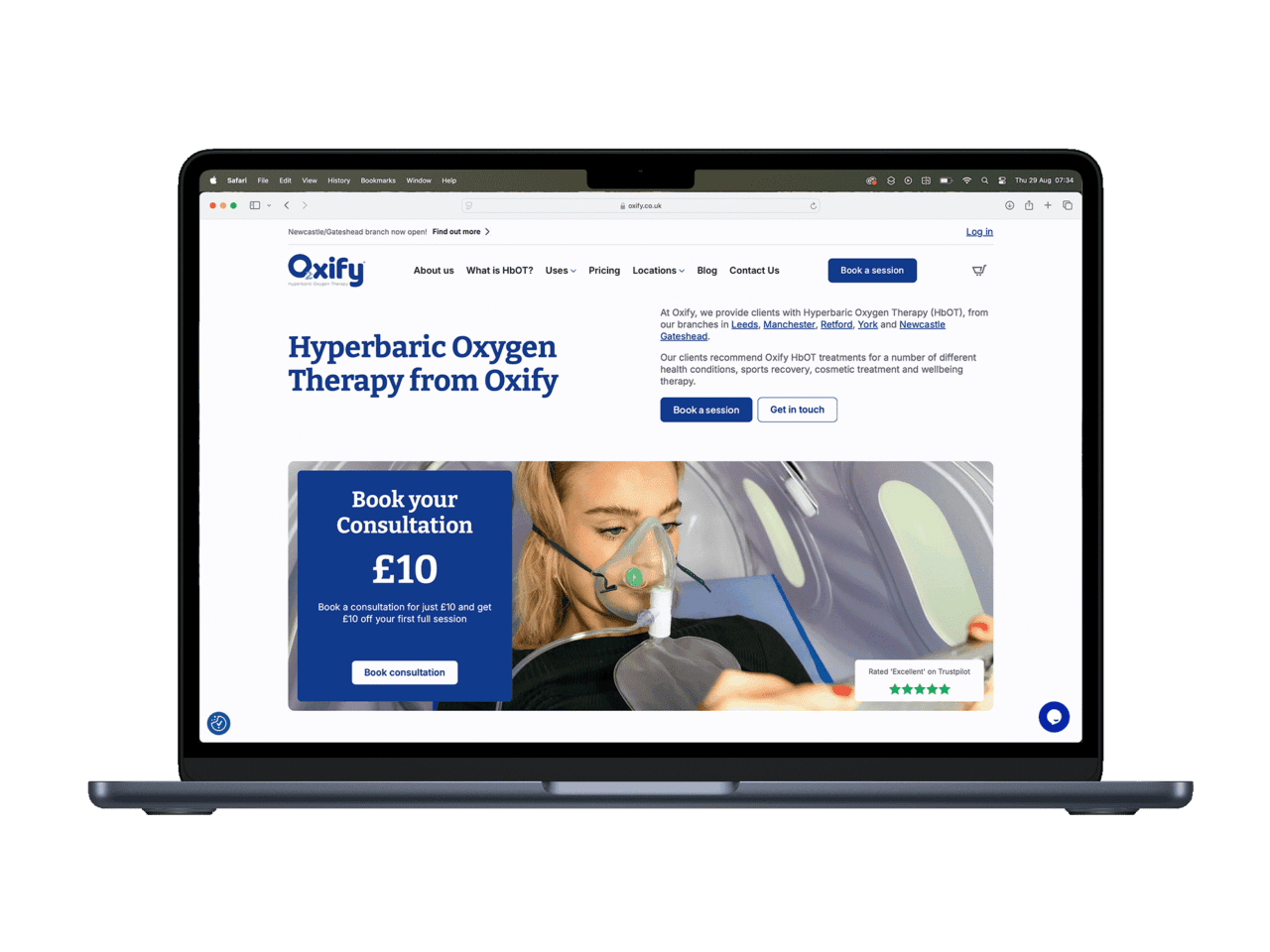
Oxify Hyperbaric Oxygen Therapy website on laptop screen.

Related Posts

Let's be friends.

Sign up to hear from us—no spam, just helpful web tips and updates.

Say hello!

hello@pixelish.co.uk +44 (0) 1302 315 156
4 Cavendish Court, Doncaster, DN1 2DJ