Website Performance and Speed: Why It Matters More Than You Think
Unlock the secrets of a high performance website in 2026…


WordPress powers over 40% of all websites on the internet. That includes everything from personal blogs to the BBC, TechCrunch, and the White House. But for UK business owners, the question isn’t whether WordPress is popular — it’s whether it’s the right choice for your business.
Short answer: for most small to medium businesses, yes. Here’s a straightforward guide to what WordPress actually is, what it costs, and what you need to know to get the most from it.
This trips up more business owners than anything else. There are two versions of WordPress, and they’re very different:
WordPress.com is a hosted platform (like Wix or Squarespace). You sign up, choose a plan, and build your site within their system. It’s limited — you can’t install custom plugins or themes on cheaper plans, and you don’t truly own your site.
WordPress.org (self-hosted) is the free, open-source software that professionals use. You install it on your own hosting, and you have complete control. Every custom feature, plugin, and design choice is available to you. This is what web designers mean when they say “WordPress.”
For any serious business website, WordPress.org (self-hosted) is the way to go. The rest of this guide focuses on this version.
Unlike Wix, Squarespace, or Shopify, your WordPress site lives on hosting you control. If you want to switch web designers, change hosting providers, or move to a different server, you can. You’re never locked into a platform that can raise prices, change features, or shut down.
Brochure site? Yes. Blog? Obviously. Online shop? WooCommerce handles that. Booking system? There’s a plugin. Membership site? Multiple options. Course platform? Absolutely. WordPress’s plugin ecosystem means you can add almost any functionality without building from scratch.
WordPress produces clean, semantic code that Google can easily crawl. Add a good SEO plugin (like SEOPress or Yoast) and you’ve got full control over meta titles, descriptions, sitemaps, and schema markup. Most website builders offer a fraction of this control. If you’re wondering how design and SEO work together, our guide on getting found on Google covers the essentials.
Because WordPress is so widely used, finding a developer to work on your site is straightforward. You’re not dependent on one company or a niche platform. If your current web designer disappears, any competent WordPress developer can pick up where they left off.
WordPress isn’t perfect. Here’s what you should know:
WordPress, your theme, and your plugins all need regular updates. Ignoring updates is the single biggest cause of hacked WordPress sites. This isn’t a “set and forget” platform — it needs ongoing attention, either from you or from a maintenance plan.
There are 60,000+ plugins available. Some are excellent. Some are abandoned, poorly coded, or actively insecure. Installing random free plugins without checking reviews, last update date, and compatibility is asking for trouble. A good web designer will recommend tried-and-tested plugins and avoid the risky ones.
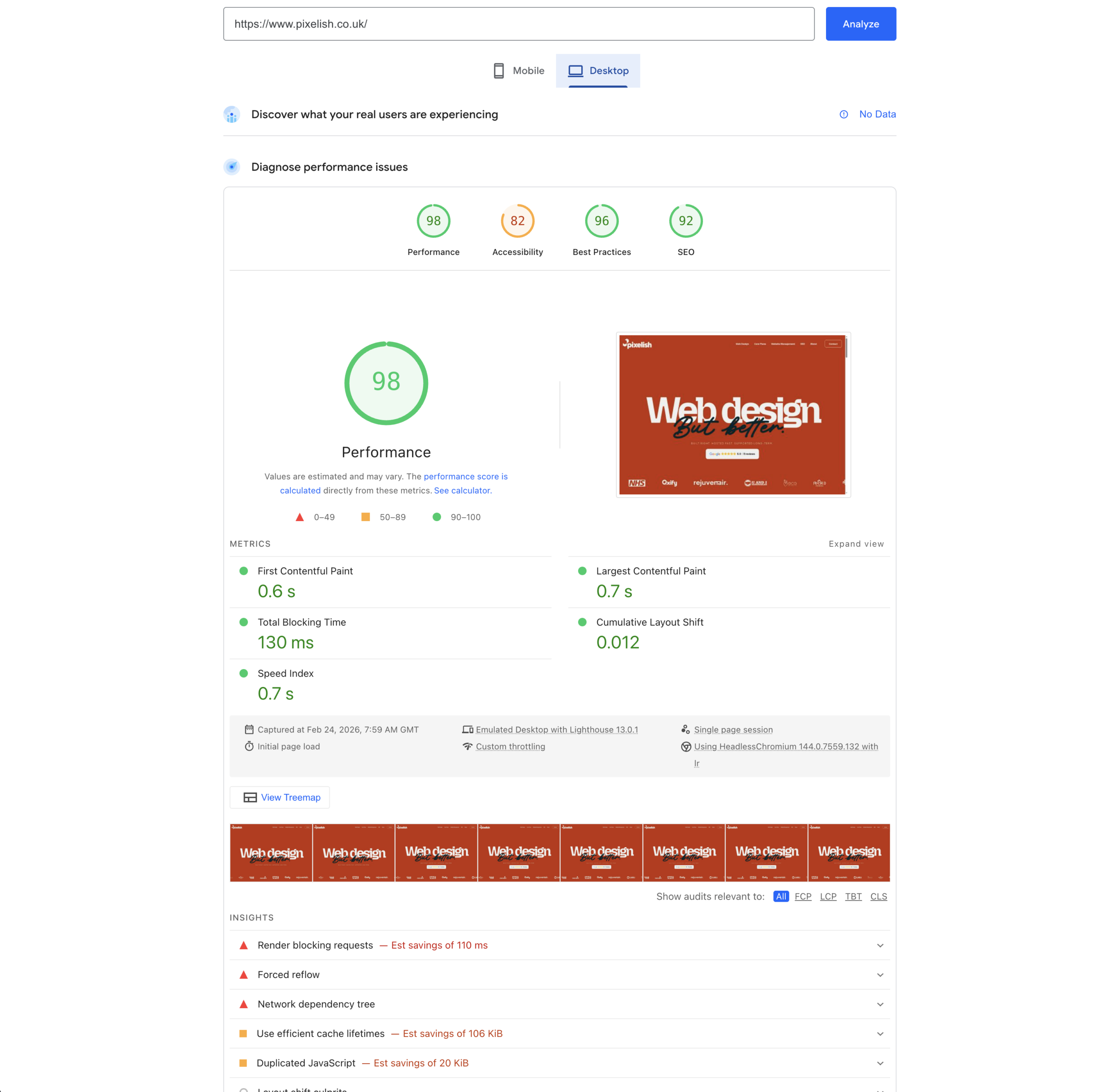
A badly built WordPress site can be painfully slow. Too many plugins, unoptimised images, cheap hosting, and bloated themes are the usual culprits. But a well-built WordPress site on good hosting is genuinely fast. The platform itself isn’t slow — bad implementation is. We go deeper into what makes a site load quickly in our website performance and speed guide.
If you’re going to use WordPress for your business, understand what ongoing maintenance looks like:
You can do all of this yourself if you’re technically comfortable. Most business owners prefer to hand it off — a maintenance plan typically costs £30–£80/month and is well worth the peace of mind. For more on keeping your site safe, read our WordPress security guide.
Here are realistic UK costs for a self-hosted WordPress site in 2026:
Setup:
Ongoing:
For a detailed breakdown of what drives these costs, see our complete guide to website costs.
WordPress is a great fit if:
Consider alternatives if:
At Pixelish, we build WordPress websites for businesses across Doncaster, South Yorkshire, and the wider UK. We handle the design, build, SEO setup, and ongoing maintenance — so you get a site that works without the technical headaches.
Want to know if WordPress is the right fit for your business? Get in touch for a free, honest conversation.