
No products in the basket.
Website Design Website Development Guide for 2026 Success
Master website design website development for 2026 with expert strategies…

In 2026, a polished online presence is the cornerstone of business credibility and growth. Customers judge companies by their websites, making the right first impression essential for success.
This guide is designed to simplify the process of building a business WordPress website, offering practical steps for entrepreneurs and SMEs. You will discover a clear, jargon-free roadmap that empowers you to launch a site that drives leads and builds trust.
We will break down the journey into manageable stages: planning, choosing hosting, design, customisation, security, SEO, and ongoing management. Ready to increase your leads and reputation? Let’s get started.
In 2026, the digital landscape for businesses is more competitive than ever. Your business wordpress website is often the first touchpoint for potential clients, shaping their perception within seconds. As consumer habits shift rapidly, only those businesses with modern, professional websites can expect to gain trust and convert visitors into loyal customers.

Consumer expectations have transformed. In 2026, 78% of UK consumers research companies online before making a purchase. This means a strong business wordpress website is no longer optional, it is essential for capturing interest and building credibility.
Websites are now interactive hubs, not just static brochures. Customers expect seamless navigation, instant access to information, and features that support direct engagement. A mobile-first approach is crucial, with most users browsing on smartphones or tablets. Accessibility is also a legal and ethical priority, ensuring everyone can interact with your site.
Consider these key requirements for a business wordpress website in 2026:
| Requirement | Why It Matters |
|---|---|
| Mobile Responsiveness | Majority of traffic is mobile |
| Fast Loading Speed | Impacts trust and Google rankings |
| Security | Protects data and builds confidence |
| Accessibility | Legal compliance, wider audience |
| Interactivity | Drives conversions and engagement |
Small businesses that invest in a high-quality business wordpress website have seen notable growth. For instance, local retailers and trades have expanded their reach, outpacing competitors still relying on outdated sites.
Speed and security are now central. Sites that load slowly or appear unsafe lose visitors quickly and rank lower on search engines. WordPress continues to be the platform of choice, powering over 43% of all websites globally according to WordPress powers over 43% of all websites globally. Regulatory requirements such as GDPR and accessibility standards must also be met to avoid fines and build trust.
A business wordpress website offers unmatched flexibility and scalability. WordPress is open-source, allowing businesses of any size to adapt their site as needs evolve. The vast ecosystem includes over 59,000 plugins and thousands of themes, enabling easy customisation for any business niche.
Compared to custom or proprietary solutions, a business wordpress website is cost-effective without sacrificing quality. Regular updates help maintain security, while a global community ensures support and constant innovation.
Key benefits of WordPress for business:
Take the example of a local trades business. By launching a business wordpress website, they expanded their range of services online and streamlined customer enquiries. The result was increased bookings and a stronger reputation in their area.
Ultimately, choosing WordPress empowers business owners to build a site that supports growth, meets modern standards, and adapts to the ever-changing digital world.
Careful planning sets the foundation for a successful business wordpress website. Before you begin design or development, it is essential to clarify your goals, understand your audience, and map out a strategy that aligns with your business growth ambitions. This section guides you through defining objectives, structuring your site, and developing a compelling content and branding plan.

Begin by identifying the core objectives for your business wordpress website. Are you aiming to generate leads, sell products, build brand awareness, or support customers? Each goal shapes the website’s structure and functionality.
Map the typical customer journey. Consider what actions you want users to take, such as making an enquiry, booking a service, or completing a purchase. By understanding these pathways, you can design your site to guide visitors smoothly from landing page to conversion.
Develop user personas to reflect your ideal customers. Think about mobile-first users, local clients, or national audiences. Each persona may have unique needs and expectations. For example, a local tradesperson’s business wordpress website might prioritise location details and quick contact options, while an e-commerce site will focus on seamless product browsing and checkout.
Set measurable KPIs to track success. Useful metrics include:
By defining clear targets, you can measure the impact of your business wordpress website and refine your approach for ongoing improvement.
A logical site structure is vital for both user experience and SEO. Plan the essential pages your business wordpress website needs:
Clear navigation helps visitors find what they need quickly. For a typical local business, a 6 to 12-page structure is common, offering enough detail without overwhelming users. Study your competitors for inspiration and ensure your site covers all key areas.
A table can help visualise your initial structure:
| Page | Purpose |
|---|---|
| Home | Introduce brand, key offerings |
| About | Build trust, share your story |
| Services | Detail solutions and benefits |
| Contact | Enable easy communication |
| Testimonials | Showcase customer success |
| Blog/News | Share updates, boost SEO |
Scalability is also crucial. As your business grows, your business wordpress website should be flexible enough to add new services, locations, or features with ease. For tailored advice and support in creating a scalable structure, consider exploring WordPress Website Solutions, which specialises in business-focused builds.
Your content and branding must work together to engage visitors and drive conversions. Start with a consistent brand voice, whether professional, friendly, or innovative, and ensure it runs through all copy and visuals on your business wordpress website.
Invest in high-quality, conversion-focused copywriting. Headlines should capture attention, while calls to action prompt users to enquire, book, or buy. Use professional imagery to reinforce credibility, whether through carefully chosen stock photos or custom photography that highlights your team, products, or services.
Multimedia elements like video, icons, and infographics can boost engagement. Always follow accessibility best practices, such as adding alt tags to images, using readable fonts, and ensuring strong colour contrast. This not only broadens your audience but also meets regulatory requirements.
Consider businesses that have grown their audience by tailoring content to specific customer needs. For example, a service provider updating their blog with industry news can attract organic search traffic and establish authority. With the right strategy, your business wordpress website becomes a powerful asset for growth.
Establishing a successful business wordpress website begins with a strong technical foundation. The right domain, hosting, and setup choices will influence your site’s performance, security, and credibility from day one.
Your domain name is the digital front door to your business wordpress website. Selecting a memorable, brand-aligned domain builds trust and helps customers find you easily.
Consider these tips:
Register your domain with a trusted registrar, such as 123 Reg, GoDaddy, or Namecheap. Most offer privacy protection and easy management. Once secured, link your domain to your chosen hosting platform to start building your business wordpress website.
A robust hosting solution is essential for a high-performing business wordpress website. Managed WordPress hosting is often best for SMEs, offering optimised speed, security, and support.
Compare key features:
| Feature | Managed Hosting | Shared Hosting |
|---|---|---|
| Uptime Guarantee | 99.95% | 99% |
| Daily Backups | Included | Sometimes |
| Free SSL | Yes | Sometimes |
| Scalability | High | Limited |
| Support | Expert WordPress | Basic |
| Price (monthly) | £34.99–£49.99 | £5–£15 |
Look for malware protection, regular updates, and responsive support. Fast, secure hosting can boost your conversion rates and enhance customer trust. Investing in quality hosting now saves time and money as your business wordpress website grows.
Setting up your business wordpress website can be quick with most hosts offering one-click WordPress installation. Alternatively, manual setup is available for advanced users.
After installation, secure your site with HTTPS/SSL (usually free with hosting). Configure your core settings:
Site Title: Your Business Name
Tagline: Your unique value proposition
Permalinks: Post name (for SEO-friendly URLs)
Create strong admin passwords and enable two-factor authentication for all users. These first steps protect your business wordpress website from common threats.
If you want expert help launching your business wordpress website, Pixelish provides tailored WordPress design and development for SMEs and e-commerce brands. Their team delivers bespoke, non-template builds, ensuring your site stands out and performs.
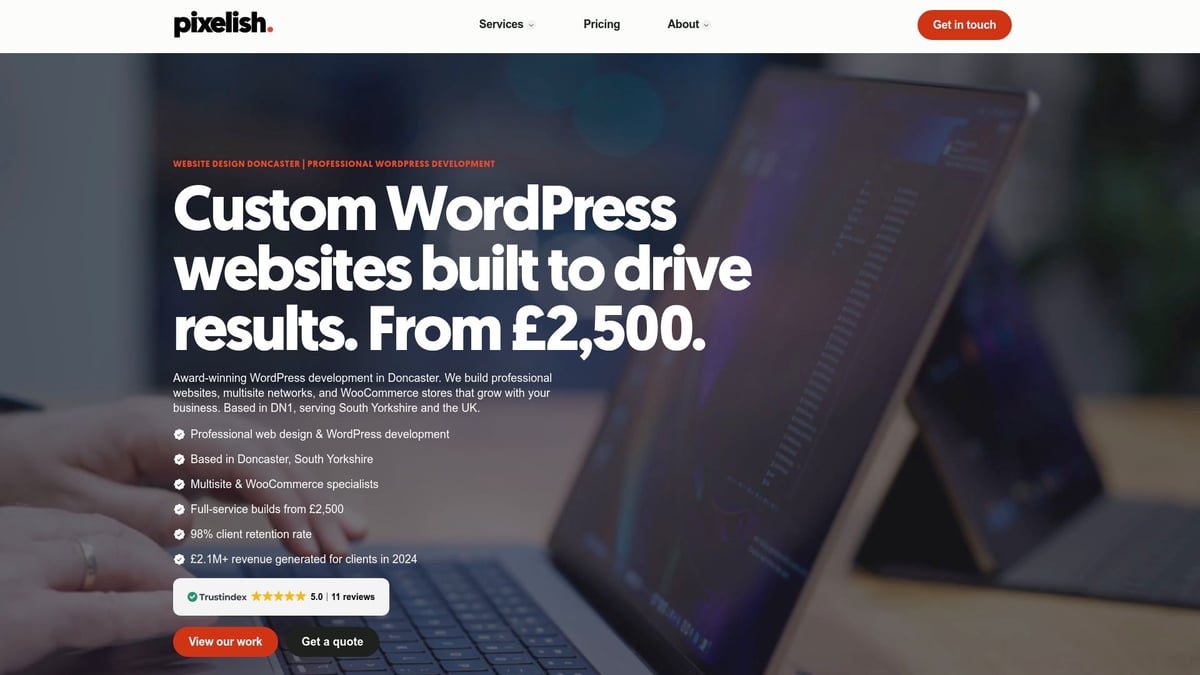
Pixelish offers:
Choosing a professional partner can accelerate your digital growth and free up time to focus on your core business. With Pixelish, your business wordpress website is in safe hands.
A compelling business wordpress website goes far beyond a digital brochure. It serves as a dynamic platform to attract, engage, and convert your ideal customers. Design and customisation choices directly impact how your brand is perceived and how effectively your website meets business objectives.

Choosing the right theme is the foundation of a successful business wordpress website. A theme should be fully responsive, ensuring flawless display on mobiles, tablets, and desktops. Speed is crucial—select themes known for fast loading, as sluggish sites deter visitors and harm search rankings.
Look for themes updated regularly to address security and compatibility. Accessibility is essential; choose themes that support keyboard navigation and screen reader compatibility. Trusted sources include the official WordPress repository and reputable vendors such as StudioPress or Astra.
Customisation is where your brand shines. Adjust colours, fonts, and layouts to reflect your business identity. Upload your logo and tweak layouts to guide users to key actions. For example, a local consultancy might adapt a template by integrating their unique colour palette and adding a client testimonial slider, instantly elevating their business wordpress website.
The vast WordPress’s extensive ecosystem of plugins and themes ensures businesses of any size can find or tailor a design that fits their needs and ambitions.
Plugins transform a basic site into a powerful business wordpress website. Start with essentials:
Depending on your business model, you may need e-commerce solutions like WooCommerce, booking systems, testimonial sliders, or live chat support. Always review plugin compatibility with your theme and core WordPress version.
Avoid plugin bloat; each extra plugin can slow down your business wordpress website or introduce conflicts. Managed hosting packages often bundle key plugins, simplifying setup and maintenance. Regularly audit your plugins to retain only those adding real value.
Strong visual content is non-negotiable for a professional business wordpress website. Use high-quality images and videos to build trust and communicate expertise. Weigh the pros and cons of stock imagery versus commissioning bespoke photography. Stock can be cost-effective and fast, but custom photos offer a unique, authentic touch.
Incorporate icons and infographics to break up text and highlight key messages. Calls-to-action should stand out using contrasting colours and clear, concise language. Remember accessibility: add descriptive alt tags to all images, select readable fonts, and ensure sufficient colour contrast for users with visual impairments.
Consistent branding across all visual elements ties your business wordpress website together, reinforcing recognition and credibility.
A business wordpress website must work flawlessly on every device. Use responsive design principles to ensure layouts, images, and navigation adapt seamlessly to mobiles and tablets. Test your site using tools like Google Mobile-Friendly Test and real devices to catch any issues early.
Accessibility compliance is not optional. Adhere to WCAG 2.2 guidelines by providing keyboard navigation, readable fonts, and descriptive links. Review colour combinations for adequate contrast and ensure all interactive elements are easily usable on touchscreens.
Many businesses have seen conversion rates jump after improving their business wordpress website’s mobile experience and accessibility, making these investments vital for growth.
Sometimes, an off-the-shelf solution is not enough for a business wordpress website. If your business requires unique features—such as a complex product calculator, multi-location directory, or third-party integration—consider hiring a developer for custom coding.
Advanced features can differentiate your site, providing tailored experiences that set you apart from competitors. For franchises or multi-location brands, WordPress Multisite enables centralised management while maintaining unique pages for each branch.
A well-executed custom solution ensures your business wordpress website adapts as your needs evolve, supporting long-term scalability and innovation.
A secure, well-maintained business wordpress website is the foundation of digital trust and ongoing success. Without strong protection, regular upkeep, and reliable support, your investment is at risk. In this section, we explore the essentials of defending, maintaining, and supporting your online presence so your business wordpress website thrives in 2026 and beyond.
Protecting your business wordpress website starts with regular updates to core files, plugins, and themes. Outdated software is a top target for hackers. Enable automatic updates where possible and monitor for new releases.
A layered approach to security is essential. Install reputable security plugins for malware scanning, firewalls, and login protection. Use strong, unique passwords and activate two-factor authentication for all admin accounts.
Daily automated backups are a must. Store them securely offsite so you can restore your business wordpress website quickly if needed. SSL certificates encrypt data, safeguarding your users and boosting trust.
Key Security Essentials Table
| Task | Frequency | Tool/Method |
|---|---|---|
| Core updates | Weekly | Dashboard/Auto |
| Plugin updates | Weekly | Dashboard/Auto |
| Malware scanning | Weekly | Security plugin |
| Backups | Daily | Backup plugin |
| Password changes | Quarterly | Password manager |
For step-by-step protection techniques, consult the WordPress Security Guide.
Consistent maintenance ensures your business wordpress website performs at its best. Schedule regular performance checks to monitor speed, uptime, and responsiveness. Aim for at least 99.95 percent uptime to meet user expectations.
Check for plugin conflicts and promptly address any bug fixes. Update your blog and core pages to keep content fresh and relevant. This boosts SEO and encourages repeat visits.
Essential Maintenance Tasks:
A well-maintained business wordpress website builds user confidence and supports long-term growth.
Choosing between self-management and managed services depends on your resources and priorities. Managing your business wordpress website yourself offers flexibility and cost savings. However, it requires time, technical knowledge, and quick response to issues.
Managed services deliver peace of mind with technical support, bug fixes, and regular updates included. Many providers offer unlimited content updates and priority support. Pricing typically ranges from £0 for DIY, £40 per month for care plans, and £240 per month or more for full management.
Support Comparison Table
| Option | Included Services | Price (monthly) |
|---|---|---|
| DIY | Self-updates, basic fixes | £0 |
| Care Plan | Updates, support, advice | £40 |
| Full Managed | All-inclusive, unlimited | £240+ |
Business owners often save hours per month and avoid costly downtime by choosing managed support for their business wordpress website.
Trust is critical for any business wordpress website. Ensure GDPR compliance by publishing clear privacy policies and cookie notices. Secure all forms to encrypt and protect user data.
Store sensitive information only as long as needed and use secure, reputable hosting providers. Schedule regular security audits and vulnerability assessments to identify and address risks promptly.
Compliance Checklist:
By prioritising data protection, your business wordpress website remains compliant, secure, and trustworthy for every visitor.
A business wordpress website is only as effective as its visibility, speed, and ability to convert visitors into customers. Optimising these elements ensures your website stands out in a competitive digital landscape and supports ongoing business growth.
Optimising your business wordpress website for search engines is crucial to attracting quality traffic. Start by ensuring each page has unique metadata, well-structured headings, and keyword-optimised content. Add alt text to all images, and structure URLs cleanly for both users and search engines.
Technical SEO is also key. Generate XML sitemaps, implement schema markup, and keep internal linking logical. Use reputable SEO plugins like Yoast or Rank Math to streamline these tasks. For a deeper dive into tailored strategies, review SEO for Business Websites to stay ahead in 2026.
Speed directly influences the success of your business wordpress website, impacting user trust and conversions. Compress images before upload, and leverage caching plugins to minimise load times. Integrate a content delivery network (CDN) to serve assets quickly, especially for visitors across the UK.
Reduce HTTP requests by limiting plugins and optimising code. Target load times under 2 seconds using Google PageSpeed Insights. For more insight, learn about the importance of website speed and security in user trust and Google rankings.
A dynamic blog section is a powerful tool for your business wordpress website. Create a content calendar focused on local and industry-specific keywords to drive organic traffic. Each post should offer genuine value, addressing customer questions or showcasing your expertise.
High-quality, relevant articles help establish authority and improve SEO. Regular updates show both users and search engines that your business is active and trustworthy. Use engaging headlines, clear calls to action, and internal links to guide visitors through their journey.
To measure the effectiveness of your business wordpress website, set up Google Analytics and Search Console. These tools reveal how users interact with your site, which pages convert, and where improvements are needed.
Monitor key metrics such as bounce rate, session duration, and conversion funnels. Use this data to refine your strategy and prioritise changes that drive results. Analytics also help identify technical issues before they impact user experience or SEO.
A business wordpress website should be built with scalability in mind. As your company expands, you may need to add new pages, services, or even e-commerce functionality. WordPress Multisite is ideal for franchises or multi-location brands needing centralised management.
Prepare for future trends by considering features such as AI chatbots, voice search, or interactive tools. Staying agile ensures your website continues to support business objectives and adapts to changing consumer behaviours.
Launching your business wordpress website is a pivotal milestone, marking the transition from planning to real-world engagement. A methodical approach ensures you deliver a seamless experience from day one, building credibility and setting the stage for long-term success. Let’s explore the essential steps to launch and grow your business wordpress website effectively.
Before unveiling your business wordpress website, perform a thorough pre-launch audit. Test your site’s compatibility across popular browsers and devices. Verify that all forms, payment gateways, and interactive features function correctly. Review your content for errors, broken links, and consistency with your brand guidelines.
Accessibility matters. Ensure your site meets WCAG standards, and consider the requirements outlined by the European Accessibility Act mandates digital accessibility. Set up redirects for old URLs and submit your sitemap to search engines for indexing. This diligence protects your reputation and maximises your business wordpress website’s impact from day one.
Creating anticipation for your business wordpress website can drive early engagement and visibility. Use email campaigns to notify your existing customers and social media teasers to attract new audiences. Prepare a launch day checklist, including DNS propagation, SSL verification, and a final backup to safeguard your investment.
Consider hosting a virtual or local launch event, offering special promotions to celebrate. For example, a local retailer generated buzz by sharing exclusive discounts and live demonstrations during their website launch. These strategies make your business wordpress website memorable and encourage immediate interaction.
After launch, focus on growing your business wordpress website through ongoing optimisation. Gather customer feedback using online surveys or direct outreach, and publish positive testimonials to build trust. Update your content regularly for SEO, targeting relevant keywords and fresh topics.
Leverage Google My Business and local directories to enhance your online presence. Monitor analytics to track visitor behaviour and identify opportunities for improvement. Consistent updates and engagement help your business wordpress website attract and retain customers in a competitive digital landscape.
To sustain momentum, measure your business wordpress website’s performance against clear KPIs like traffic, conversions, page speed, and user engagement. Schedule regular reviews to identify strengths and address gaps. Use insights from analytics to refine your strategy, ensuring your site evolves with your business goals.
Explore advanced marketing tactics such as pay-per-click campaigns, social advertising, and retargeting to expand your reach. Develop a roadmap for continuous digital growth, positioning your business wordpress website as a dynamic asset that adapts to changing market demands.
As you’ve seen throughout this guide, building a successful WordPress website in 2026 is all about combining thoughtful planning, strong design, and reliable ongoing support. Whether you’re just starting out or aiming to take your business presence in Doncaster or South Yorkshire to the next level, you don’t have to navigate it alone. If you’d like tailored advice or want to explore how a bespoke website could help you convert more visitors into customers, we’re here to help. Let’s discuss your goals and the best way forward—simply get in touch and let’s make your website work harder for your business.


© Copyright 2025, All Rights Reserved by Pixelish